Maolan Features
A modern open-source digital audio workstation designed for flexible music production, deep MIDI editing, powerful routing, and transparent development.
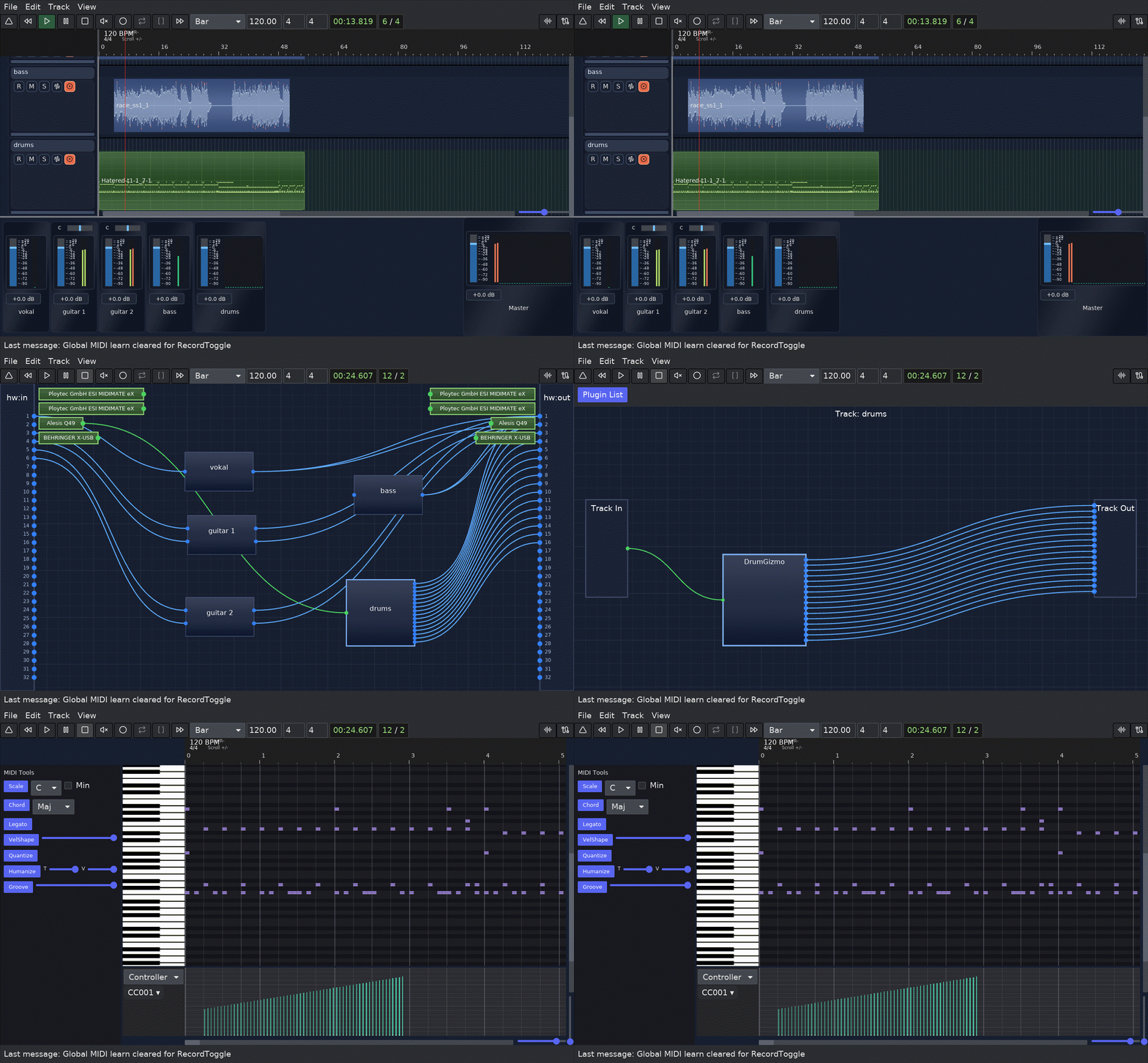
From Recording to Export
Maolan supports the entire production workflow from recording and editing to mixing and final export.
Recording
Capture audio and MIDI across multiple tracks.
Editing
Arrange clips and refine performances on the timeline.
Automation
Control parameters across time using automation lanes.
Mixing
Use routing, plugins, and aux sends to shape your mix.
Export
Render your mix or stems in multiple formats.
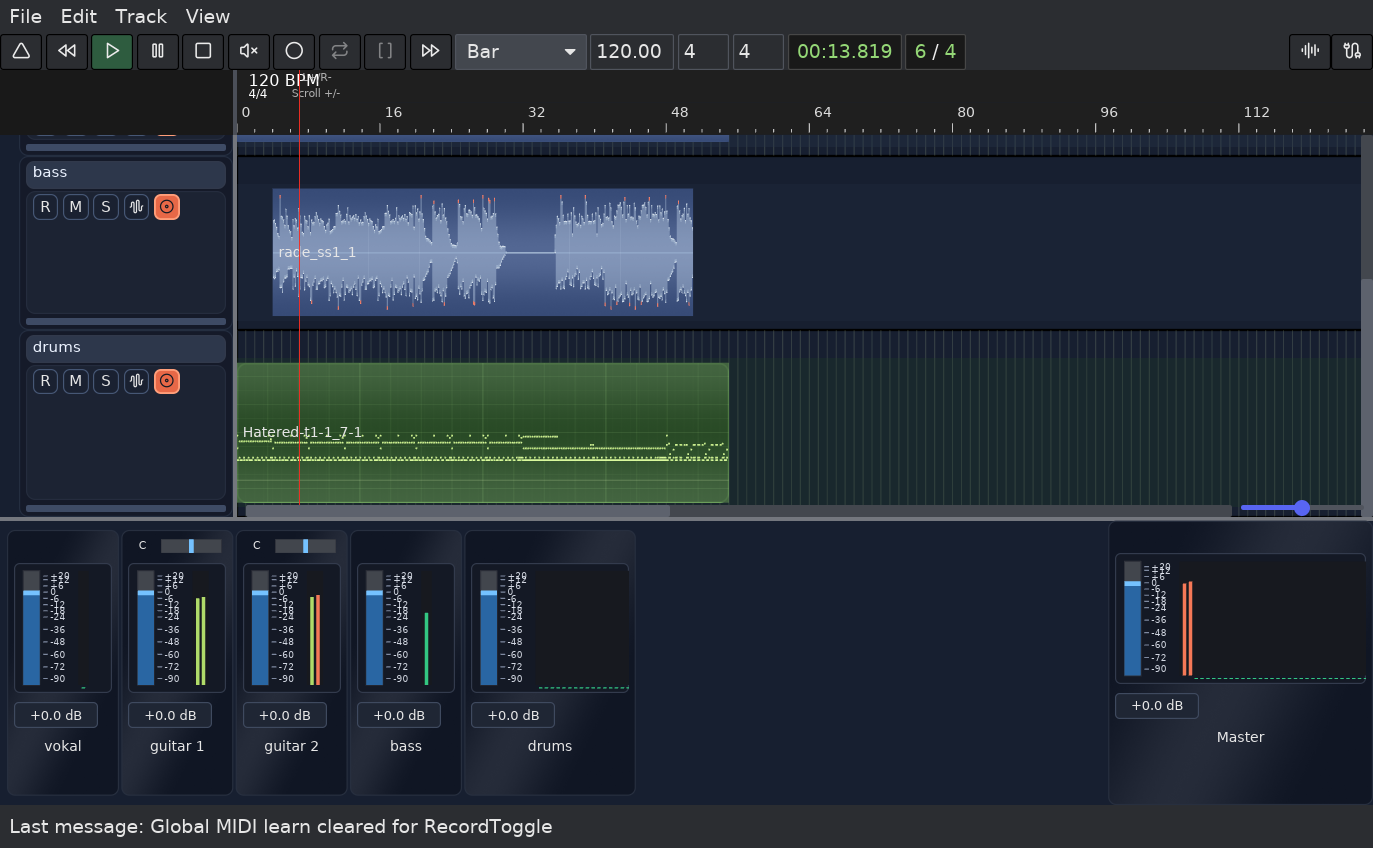
Core DAW Workflow
Maolan provides a flexible multi-track environment for recording, arranging, and managing sessions.
Multi-track Sessions
• Multi-track audio + MIDI sessions
• Track selection, rename, reordering, and resizing
• Session templates and track templates save/load
Session Management
• Session save/open/save-as
• Recent session tracking
• Dirty-state tracking and close-guard prompts
• Transport and timeline workflow coverage including play/pause/stop/record, loop/punch ranges, tempo and time-signature edits, metronome control, and panic reset
• Session metadata editing (author, album, year, track number, genre)
Timeline Markers and Arrangement Aids
• Per-track editor markers with create/rename/move/delete workflow
• Snap-aware marker placement and marker dragging
• Snap-to-clip start/end for clips, loop, punch, and markers
• Ruler playhead seek and loop/punch range management
Clip Editing
Intuitive clip manipulation tools for precise audio and MIDI arrangement on the timeline.
Drag & Drop Placement
Move audio and MIDI clips freely across tracks and timeline positions with precise snap-to-grid alignment and support for snapping to other clip start/end positions.
Clip Resizing & Fades
Resize clip boundaries and add crossfades for smooth transitions between audio segments.
Clip Splitting
Split clips at any position to create separate segments for independent editing and arrangement. Grouped clips must be ungrouped before they can be split.
Warp Markers
Add time-stretch markers to audio clips for tempo matching and creative time manipulation, with reset and half-speed/double-speed helpers.
Clip Management
Mute, rename, group, ungroup, and organize clips with comprehensive metadata and visual feedback, including take-lane workflows for overlap-based stacking, dedicated comping actions, active-take cycling, take move up/down, unmute-in-range operations, take pin/unpin, and take lock/unlock controls.
Audio & MIDI Support
Work seamlessly with both audio recordings and MIDI sequences using unified editing tools, including per-clip plugin graphs for audio clips on supported Unix builds.
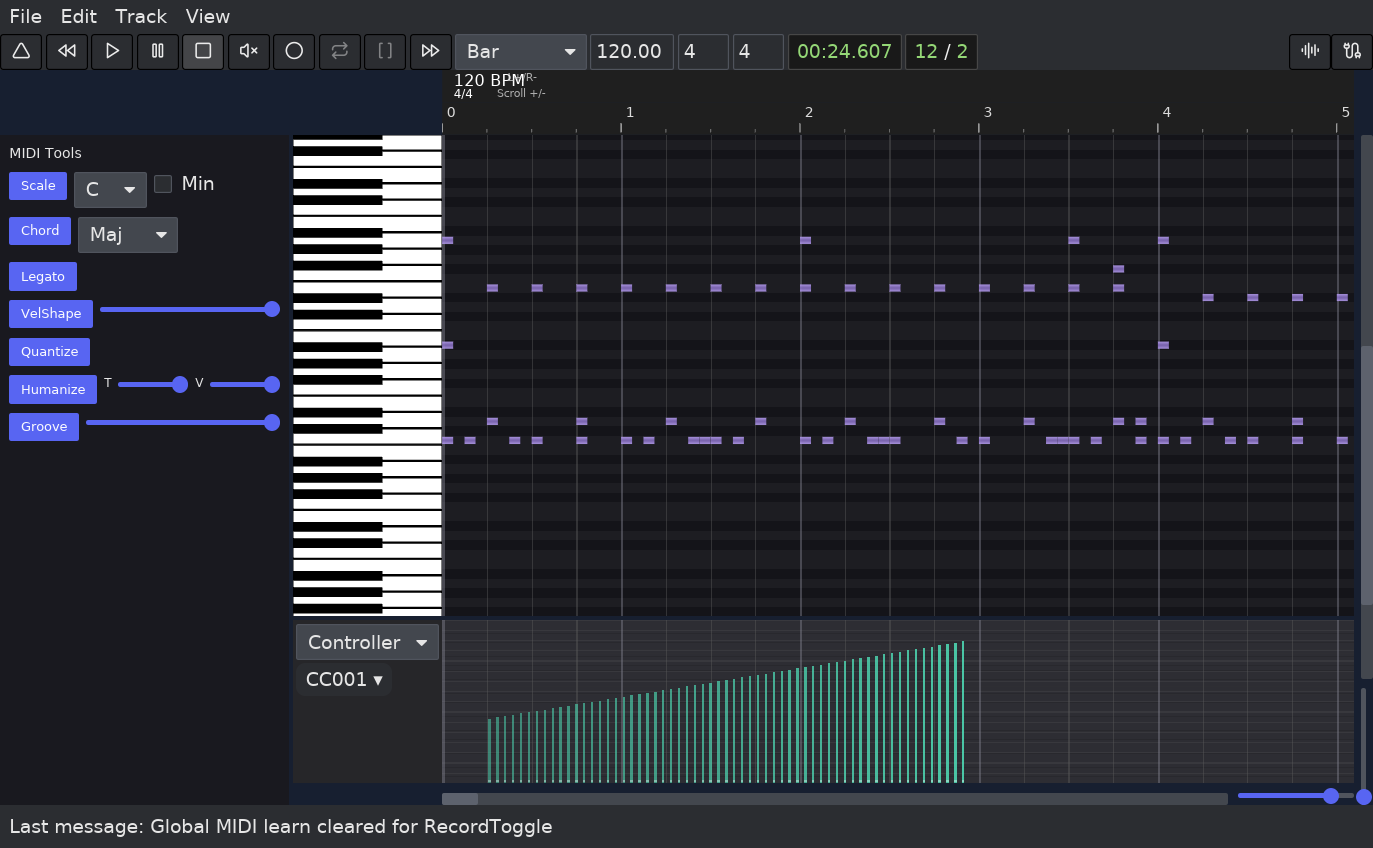
Advanced MIDI Editing
The piano roll and MIDI editing tools support expressive composition and detailed performance editing with professional-grade precision.
Note Editing & Composition
• Note editing with precise timing and pitch control
• Chord generation and harmonic tools
• Scale snap for modal composition
• Legato and articulation controls
• Configurable scale root, chord types, and major/minor mode
Performance & Expression
• Velocity and controller editing
• Velocity shaping and dynamics
• Humanize for natural feel
• Groove swing and timing adjustment
Advanced MIDI Features
• SysEx point create, edit, move, and delete
• Quantize with multiple grid options
• Multi-channel MIDI support
• Real-time MIDI input recording
• Configurable groove, humanize, and velocity-shape values
Automation System
Maolan supports track and plugin automation with multiple writing modes and detailed editing for dynamic mix control.
Track Automation Lanes
Dedicated automation lanes for volume, balance, and send levels, with insert/delete/edit point controls and visual curve editing.
Plugin Parameter Automation
Automate plugin parameters with smooth interpolation and multiple curve shapes for expressive control across CLAP, VST3, and LV2 hosts, including automation lane creation from loaded plugin parameters.
Automation Ramp Drawing
Draw automation curves directly on the timeline with freehand ramp tools and smoothing.
Automation Point Editing
Adjust individual automation points with detailed value editing and curve tension controls.
Automation Modes
Read, Touch, Latch, and Write modes support different recording and playback workflows.
Automation Writeback
Capture real-time parameter changes during playback and write them back to automation lanes.
Routing and Mixing
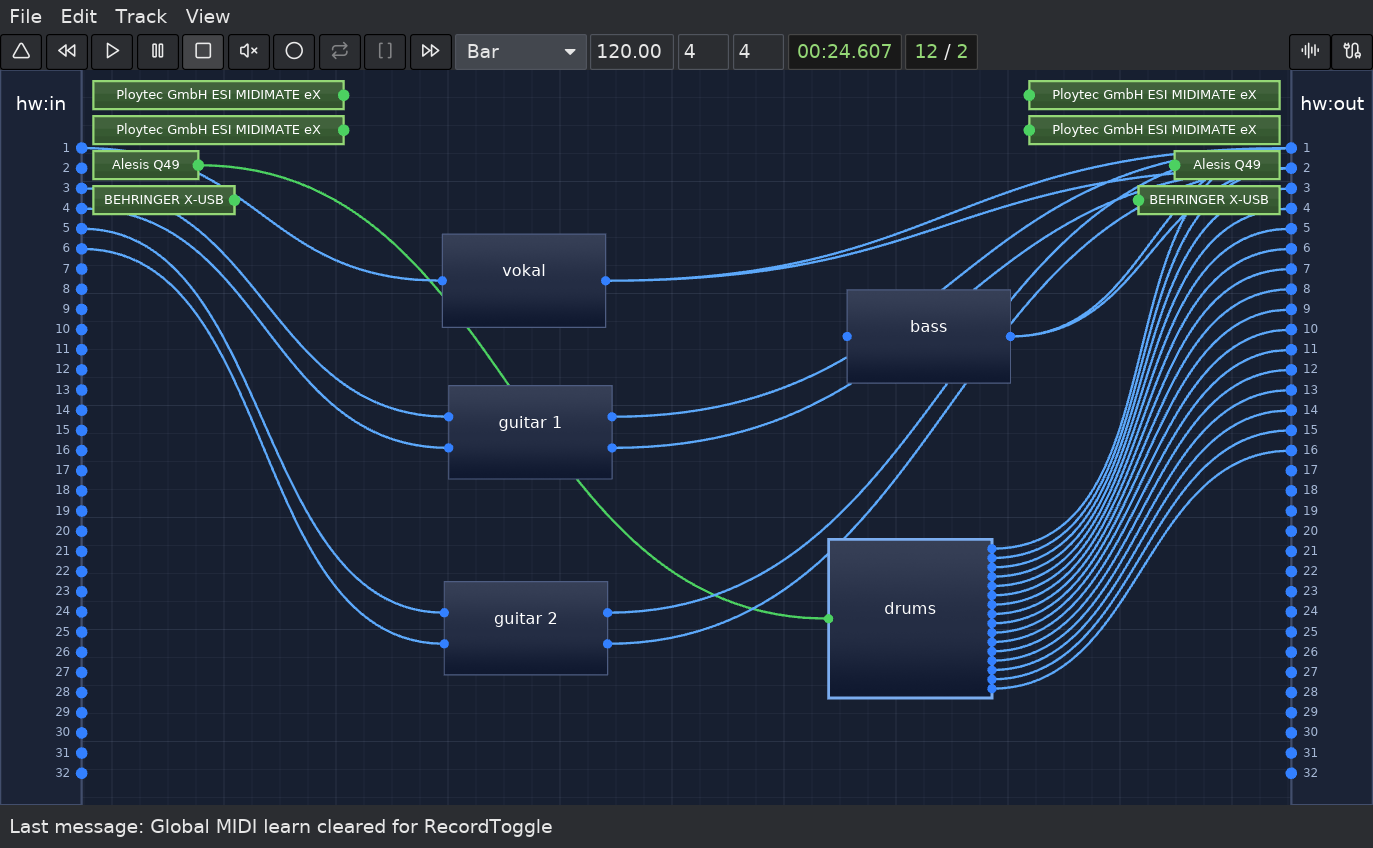
Flexible routing supports complex signal chains and professional mixing workflows.
Track Controls
- Track arm, mute, solo, input monitor, and disk monitor
- Volume, balance, aux send level/pan, pre/post send routing, and VCA/group routing
- MIDI learn targets for volume, mute, solo, track toggles, and global transport actions (play/stop/record)
- Audio/MIDI passthrough defaults and aux send management
- Aux return creation from selected tracks
Mixer Workflow
- Insert effects and signal chains
- Pre-fader and post-fader routing
- Session-wide mixing organization
- CLAP/VST3/LV2 per-track graph and plugin automation paths
- Plugin scan/load/unload and graph restore for CLAP/VST3/LV2
- Offline plugin bounce path for freeze/export workflows
Track Freeze and Performance
Reduce CPU load with render-based workflows that keep sessions responsive as projects grow.
Freeze tracks
Render processing-heavy tracks to audio while keeping the arrangement intact, with progress and cancel controls.
Keep original sources
Maintain reversible frozen backups so you can return to live editing when needed; mutable operations are guarded by freeze-state constraints.
Flatten frozen tracks
Commit frozen audio permanently to reduce project complexity and file size.
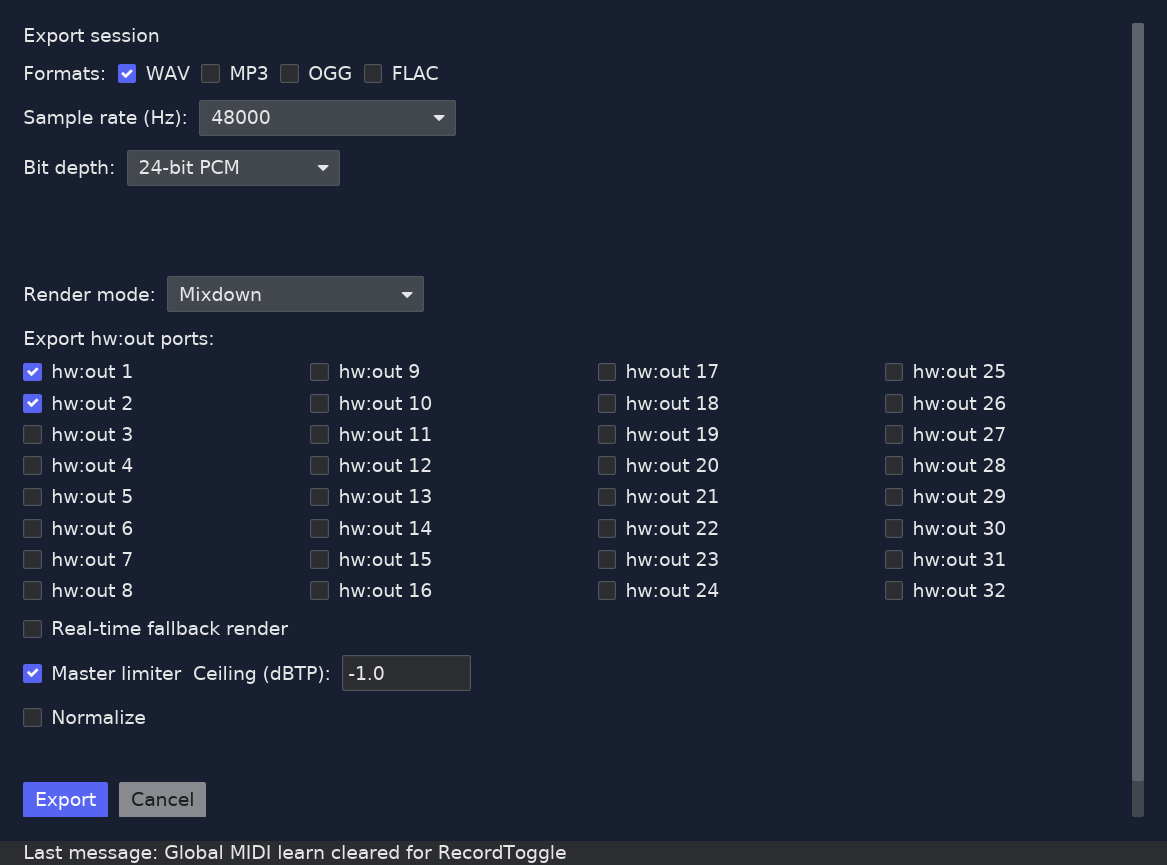
Export and Rendering
Professional export options for final mixes and stems in multiple delivery formats.
Export Features
- Mixdown and stem export
- Pre-fader and post-fader stems
- Peak and loudness normalization modes
- Master-limiter + dBTP ceiling
- Multiple output formats in a single run
- Real-time fallback render mode
- MP3/OGG codec settings and metadata tagging
- MP3 export constrained to mono/stereo
- Settings persist with the session project
Supported Formats
cargo run -p maolan-generate --release -- \
  --model happy-new-year \
  --backend vulkan \
  --tags "ambient, cinematic, downtempo" \
  --length 12000 \
  --cfg-scale 1.5 \
  --topk 50 \
  --temperature 1.0 \
  --ode-steps 10 \
  --output output.wav \
  --lyrics "stars drift over the late train home"
Backends
CPU and Vulkan execution paths are available in the current Burn-based generate flow.
Modes
Prompt or lyrics generation, plus decode-only reconstruction from a saved frames JSON.
maolan-generate
Maolan includes a separate generation crate and CLI for HeartMuLa text-to-audio work, with the same runtime pieces used by the desktop app for in-process decode.
Current capabilities
- Prompt-driven or lyrics-driven audio generation with optional style tags
- Model choices:
happy-new-yearandRL - Controls for CFG scale, top-k, temperature, ODE steps, decoder seed, and output length in milliseconds
--decode-onlymode using--frames-jsonfor saved token-frame output--decode-threadsoverride for decode-only CPU worker count--model-diroverride for local Burn exports instead of cache-based lookup
Expected model assets
HeartMuLa repos
maolandaw/HeartMuLa-happy-new-year-burn
maolandaw/HeartMuLa-RL-oss-3B-20260123
Expected files: heartmula.bpk, tokenizer.json, gen_config.json.
HeartCodec repo
maolandaw/HeartCodec-oss-20260123-burn
Expected file: heartcodec.bpk.
Integration path
The CLI is not just a side tool. The desktop application uses the same generate crate and runtime components when launching AI audio generation from the GUI.
Session Safety and Recovery
Comprehensive protection for your work with automatic backups and recovery tools.
Autosave Snapshots
Automatic session snapshots protect your work without interruption.
Unsaved Changes Protection
Smart change detection tracks dirty state and guards close actions until the session is saved.
Startup Recovery Prompts
Recovery options appear after unexpected closures, including hints from the last opened session context.
Fallback Snapshot Recovery
Multiple recovery points let you restore earlier states.
Diagnostics and Developer Tools
Troubleshooting and configuration features for developers and power users.
Session Diagnostics Report
Analyze session health, performance, and potential issues.
Diagnostics Bundle Export
Export support-ready diagnostic packages.
MIDI Mapping Reports
Inspect controller mappings, import/export mappings, clear-all, and persist mapping changes in session state with collision/conflict protection.
Configuration via config.toml
Use a text-based configuration layer for advanced customization.
Recent Sessions Menu
Jump back into recent work quickly.
Platform Notes
Unix Plugin Support
Linux and FreeBSD builds support CLAP, VST3, and LV2 plugins.
macOS Plugin Support
macOS builds support CLAP and VST3 paths, while LV2 remains Unix-only in the current codebase.
Window Backend
Linux and FreeBSD builds currently use the X11 backend.
MIDI 2.0 Roadmap
FreeBSD roadmap notes still mark MIDI 2.0 support as N/A.
Known Boundaries
Transparent development includes the current limitations and active areas of improvement.
Plugin Compatibility
Compatibility can vary depending on plugin implementation and system configuration.
Evolving Integration
Some integration paths are still developing as the project continues to grow.
Pitch Correction
Fine-grained pitch correction for audio clips with cached analysis and editable correction windows.
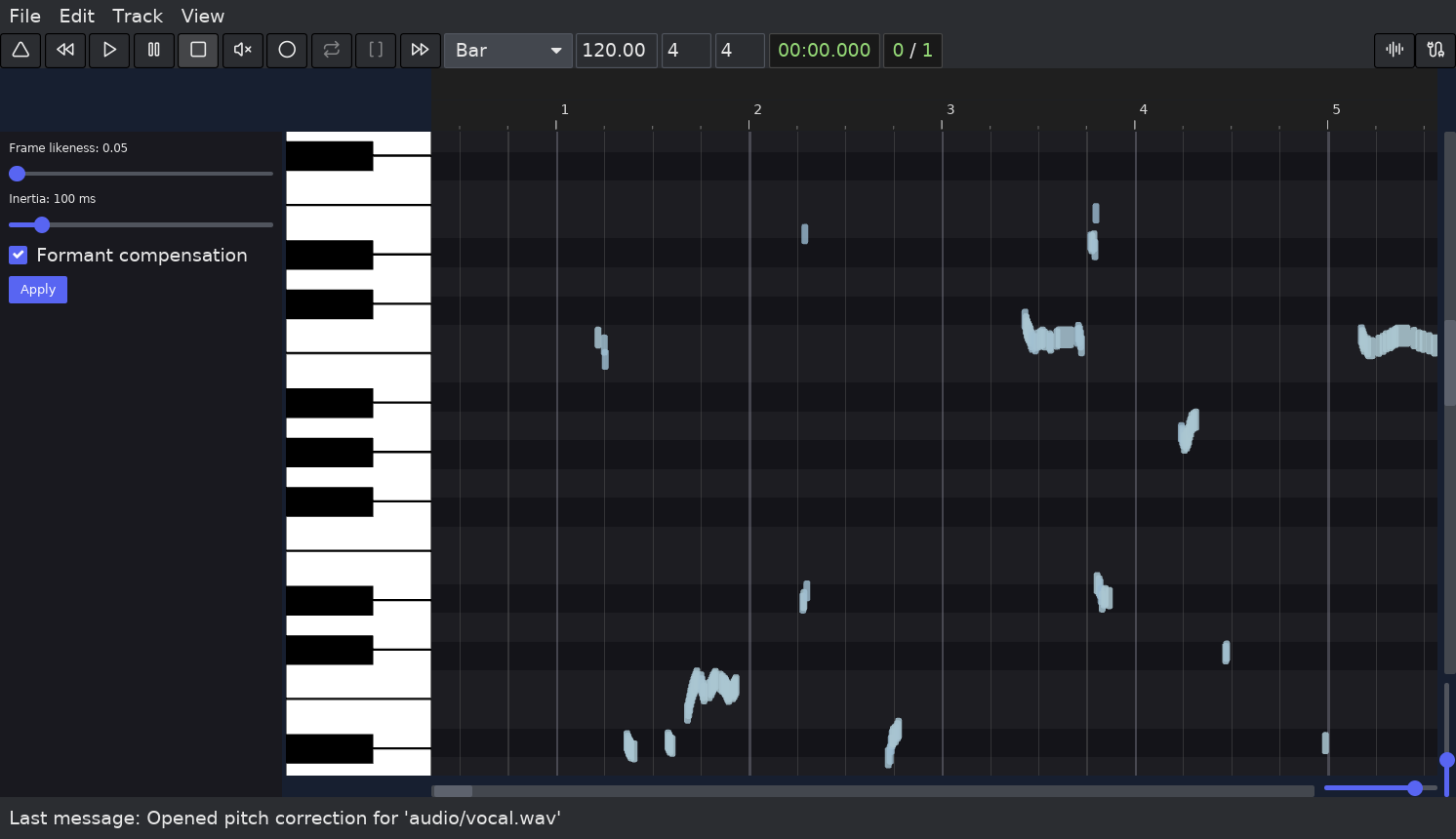
- Cached source analysis per session in the
pitch/directory for quick revisits. - Saved clip correction points can reopen without re-analyzing when source segment details still match.
- Tune detection granularity and merge-aware segmentation.
- Manual retargeting, optional inertia/merging behavior, and formant compensation support.
- Local segment editing is undoable and can be applied without destructively rewriting source audio.
- Real-time playback and freeze rendering use the corrected output path for exports and monitoring.
- MP3/OGG/FLAC/WAV export targets remain standard outputs.
Explore Maolan
Join the open-source audio production revolution. Contribute to development, support the project, or follow our progress.