Maolan

An Open Source
Digital Audio Workstation
A modern Rust-based DAW for recording, MIDI editing, automation, plugin routing, and music production workflows. Built by the community, for the community.
See Maolan in Action
Explore the interface, workflow, and core production tools built into Maolan.
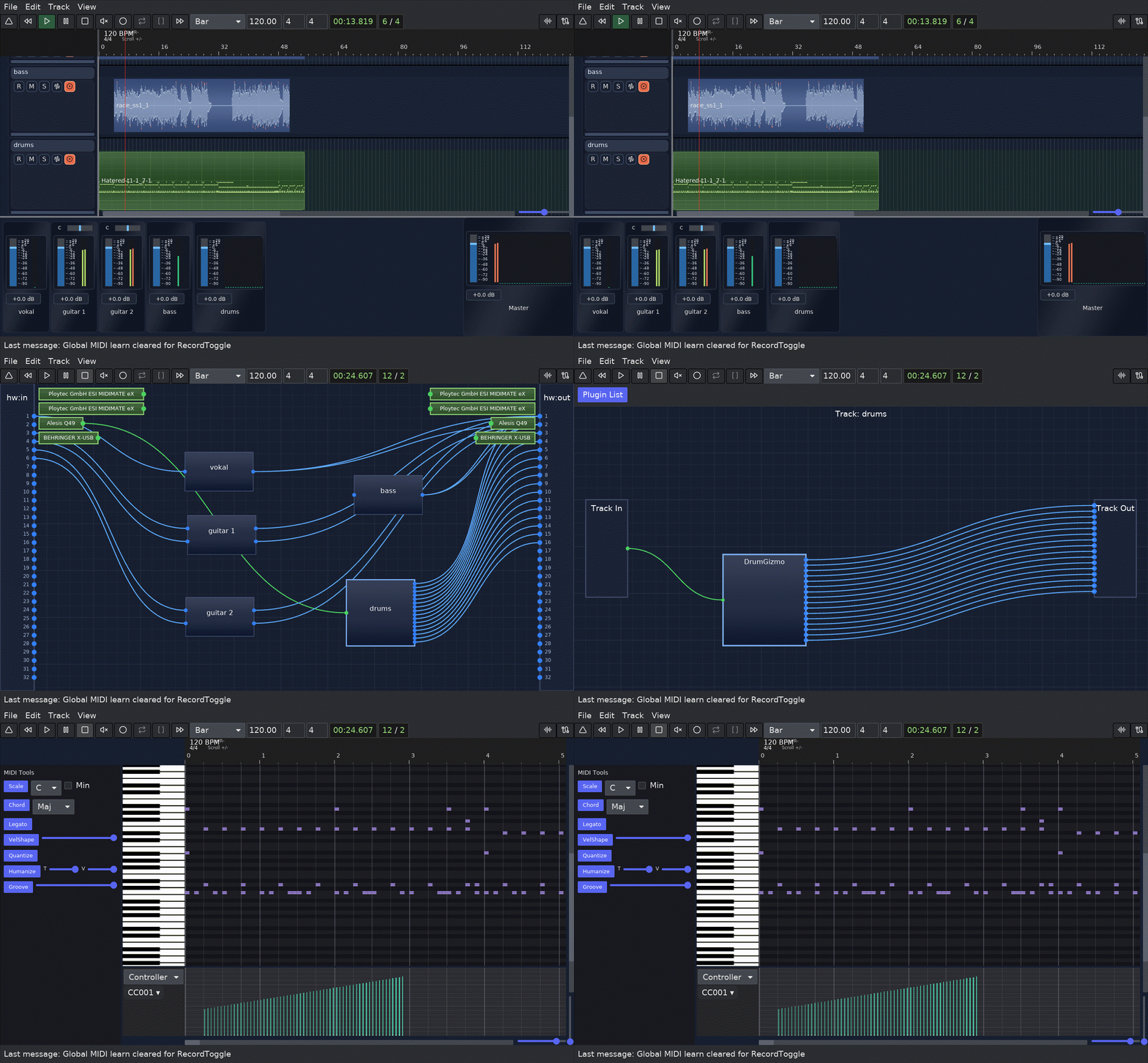
Multi-Track Timeline
Organize and arrange unlimited tracks with precise timing controls.
Piano Roll Editor
Advanced MIDI editing with velocity, note properties, and automation.
Mixer & Routing
Flexible plugin hosting and track routing for complex mixing setups.
The Challenge
Closed Ecosystems
Most modern DAWs are proprietary black boxes. You can't inspect the code, understand how they work, or modify them for your needs.
High Costs
Professional DAWs require expensive licenses. For students, hobbyists, and developers, this creates barriers to entry.
Limited Flexibility
Extending functionality or integrating custom workflows is difficult or impossible without source code access.
The Solution
Maolan is a free, open-source DAW built in Rust. It prioritizes transparency, performance, and community-driven development.
Inspect every line of code. Build custom features. Contribute improvements. Own your tools.
- ✓ 100% open source under a permissive license
- ✓ Built with Rust for safety and performance
- ✓ Community-driven development and improvements
- ✓ Forever free, no licensing fees
Modern, transparent audio production
Key Capabilities
Multi-Track Audio & MIDI
Record and arrange unlimited audio and MIDI tracks with precise timing and flexible mixing.
Piano Roll MIDI Editing
Intuitive piano roll interface for composing, editing, and refining MIDI performances.
Automation & Envelopes
Create track and plugin automation for volume, balance, mute, and loaded CLAP, VST3, or LV2 parameters. Save session and track templates for repeatable setups.
Plugin Hosting & Routing
Load CLAP, VST3, and LV2 plugins, create complex routing chains, and design custom signal flows with explicit audio, MIDI, and sidechain paths.
Export & Format Support
Export mixdowns or stems to WAV, MP3, OGG, and FLAC with normalization and master-limiter options saved in the session.
Autosave & Recovery
Automatic project backups and recovery features protect your work from unexpected interruptions.
Complete Production Workflow
Recording
Record audio from your microphone or instruments. Monitor latency-free with multiple input sources simultaneously.
Editing & Composition
Edit audio clips and MIDI notes with precision. Use the piano roll for composing melodies and harmonies, with clip grouping and per-clip FX available for deeper editing workflows.
Plugin & Routing
Load CLAP, VST3, and LV2 plugins on tracks. Create explicit routing chains for parallel processing, sidechains, and MIDI flow.
Automation
Automate any parameter across time. Create dynamic mixes with volume, pan, and plugin automation curves.
Mixing & Mastering
Balance levels, EQ, compress, and process your mix. Prepare your final master for distribution.
Export
Export your final mix to WAV, FLAC, MP3, or other formats. Ready for streaming, distribution, or further processing.
Open Source & Community Driven
Why Open Source?
Maolan is open source because we believe audio production tools should be transparent, accessible, and shaped by their users.
You can inspect the code, understand how features work, and contribute improvements directly. The community drives the direction of the project.
- → Contribute code to core features or plugins
- → Report bugs and suggest improvements
- → Write documentation and tutorials
- → Build plugins and extensions
Project Stats
Repository
github.com/maolan/maolan
License
BSD-2-Clause
Language
Rust
Status
Active Development
Frequently Asked Questions
Is Maolan free? +
Yes! Maolan is completely free and open source. There are no licensing fees, subscriptions, or paywalls. The source code is available on GitHub under an open-source license.
Which platforms are supported? +
Maolan is built with Rust and supports Linux, FreeBSD, and macOS. Linux and FreeBSD builds currently force the X11 backend at startup, while macOS uses the native host path.
Which plugin formats are supported? +
Maolan currently supports CLAP, VST3, and LV2 plugin formats on Linux and FreeBSD. macOS builds support CLAP and VST3, while LV2 remains Unix-only in the current codebase.
How does autosave and recovery work? +
Maolan writes autosave snapshots every 15 seconds into
<session>/.maolan_autosave/snapshots/<timestamp>/.
On startup or when opening a session, it can detect when a newer
snapshot exists, preview track and clip count changes, and recover
the latest valid snapshot first.Does Maolan support templates? +
Yes. Session templates preserve track structure, routing, plugin graphs, plugin state, metadata, and export settings. Track templates preserve one track's settings, plugin graph, plugin state, and that track's connections, while intentionally leaving out audio and MIDI clips.
How can I contribute? +
There are many ways to contribute to Maolan:
- Code: Submit pull requests for features, bug fixes, or improvements
- Documentation: Help improve guides, tutorials, and API docs
- Testing: Report bugs, test features, and provide feedback
- Design: Contribute UI/UX improvements and design ideas
- Community: Help other users, answer questions, and promote the project
Visit the GitHub repository to get started. All contributors are welcome!
Can I reuse it in my Rust project? +
Maolan is a two-part project: engine and GUI. The engine is independent of the GUI and you can use it in your project. If you need to import the engine in your Rust project use: